
Features
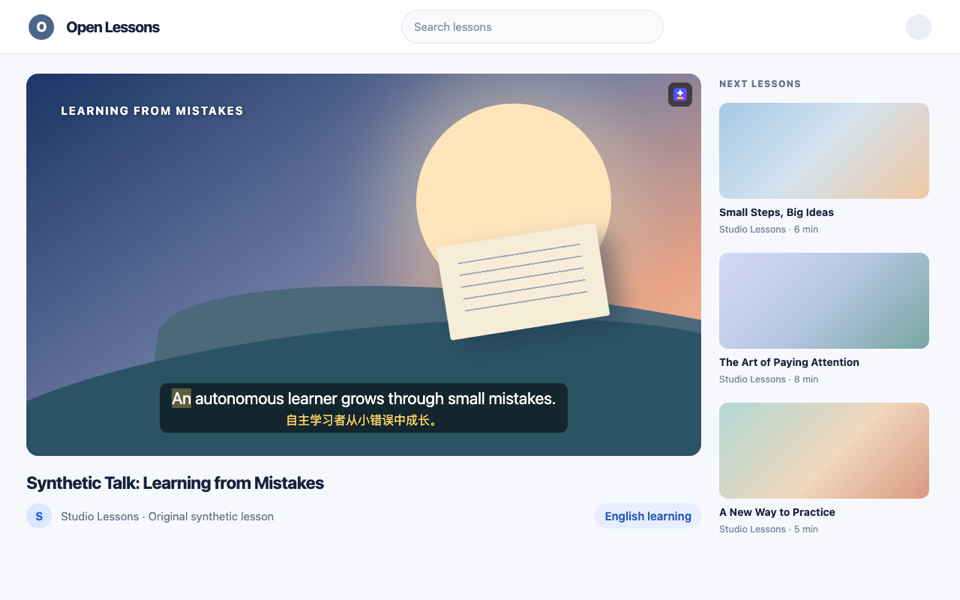
Bilingual subtitles
On video pages such as YouTube, the English line and its Chinese translation show side by side, line by line as the video plays.
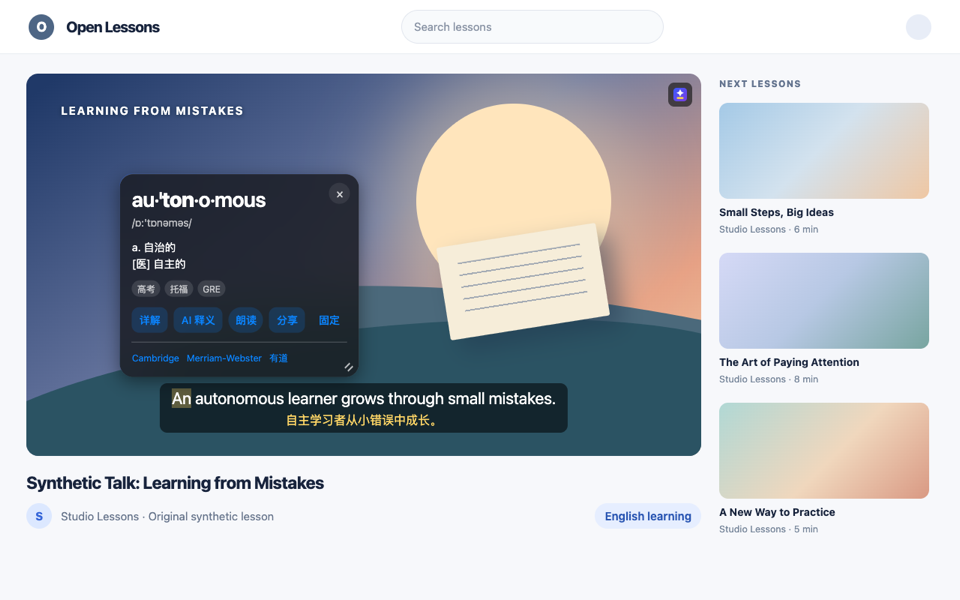
Click any word to look it up
Click a word in the subtitles for its phonetics, Chinese meaning and stressed syllable, with pronunciation you can play back.
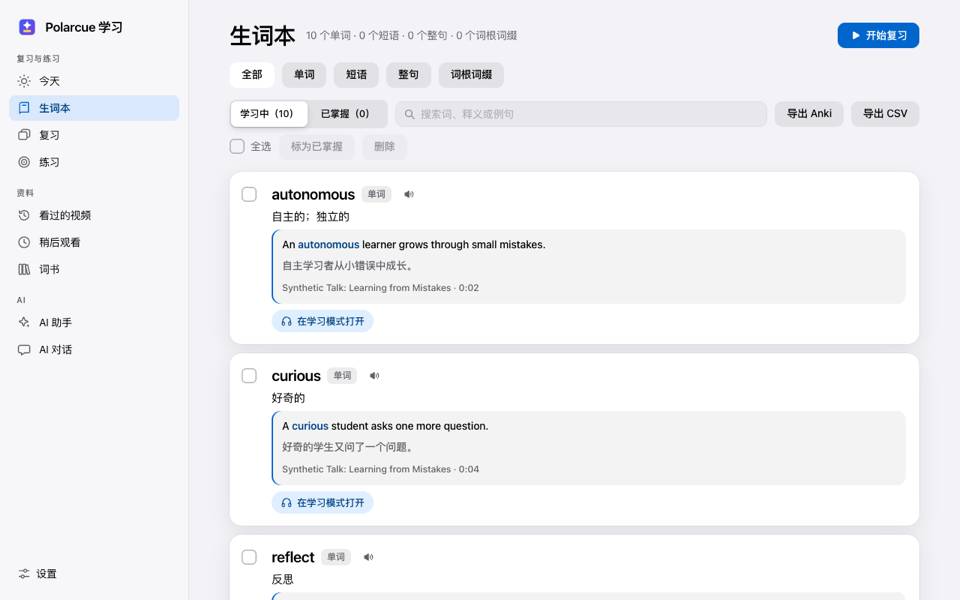
Save words and whole lines
Save a word or a whole line with one click. Each one keeps its source video and time, so review can jump back to that line.
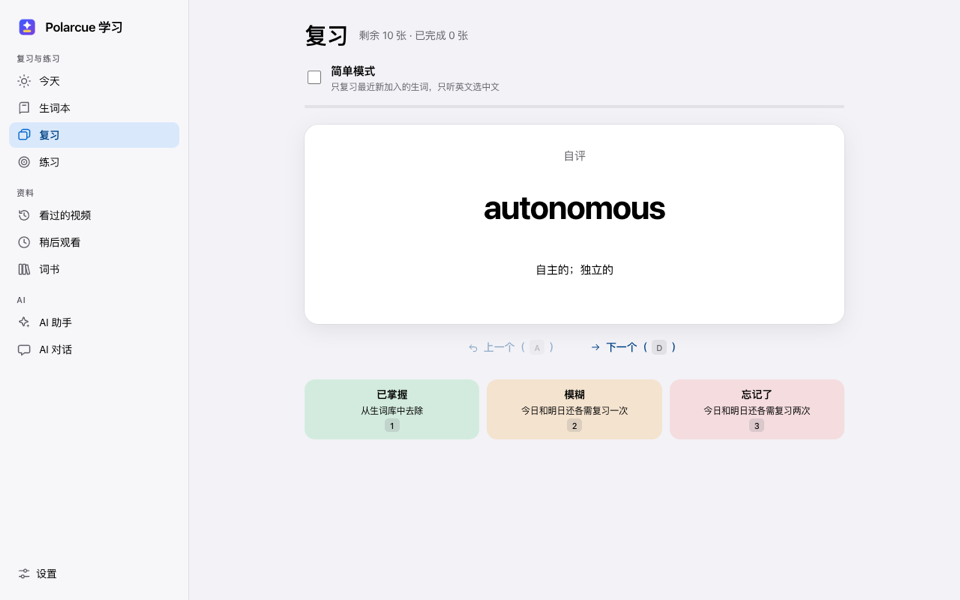
Review on a fixed schedule
Review runs on fixed 1, 3, 7, 15 and 30-day intervals, with listen-and-choose or spelling by ear, followed by a self rating.
Line-by-line listening
Adjustable playback speed, auto-pause after each line, previous and next line, and a searchable transcript.
Bilingual web pages
On sites you allow, English pages are translated into a bilingual, line-by-line layout; selecting any text translates it.
How it works
Install the extension
Install Polarcue from the Chrome Web Store.
Open an English video with captions
On YouTube, for example. Bilingual subtitles show automatically.
Click a word in the subtitles
Look it up, save it, then review it later from the saved-word list.
Privacy
Subtitles, lookup history and saved words stay in your browser by default; nothing is uploaded.
Data leaves your browser in only two cases: the word-detail feature, which you approve on the spot before each use, and any third-party translation service you choose to set up yourself.
This page itself uses no analytics, no tracking, no cookies and no localStorage.
Full privacy policyFAQ
Does it cost money?
Polarcue itself has no charge.
Do I need an account?
No sign-up is needed; it works right after you install it.
Which browsers does it support?
Desktop Chrome, version 138 or later.
Does it work on a phone?
No, Polarcue only works in the desktop Chrome browser.
Open this page in Chrome on a computer to install it.
Install the Chrome extension